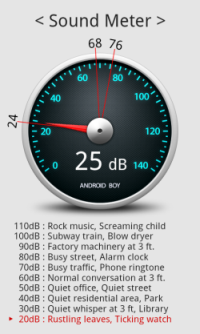
Our recent tryst in minimizing the sound levels at our work place made us go through various twists and turns. Although we are yet to complete the exercise, this also made me bump into this wonderful app called Sound Meter available for Android Phones (and iphones too). I tried the Lite utility (ad based) and was reasonably happy with it. You can download the App from Android Market by clicking HERE
Sound Meter uses the phone’s mic to measure noise volumn in decibels(dB) and shows a reference. However, note that this app is not a match for the dedicated tools used to measure the sound levels, but it can pick up the noise levels ranging from 0 to 140 decibels(dB) and suffice our requirements. Sound Meter Comes in two flavors. Lite and Pro. Lite is free to use but is ad based while Pro is paid and has following features:
- No ads
- Vibrometer Pro version is included
- More models are calibrated
- Line-Chart and Statistic menu
- More languages are supported
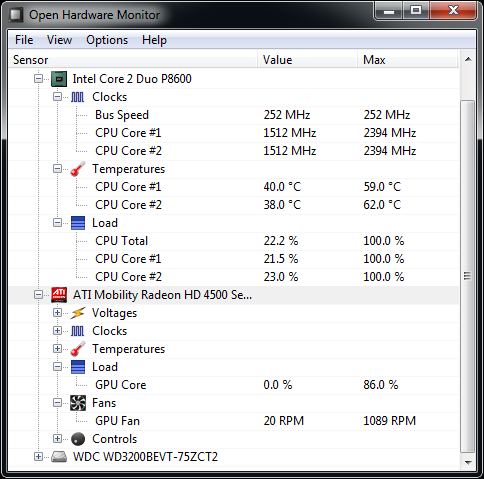 Generally we do not worry about the hardware factors of our Laptops or PCs like CPU fan speed, core temperature, clock speed and etc assuming them to be running just fine. Very recently I came across a situation where I wasn’t sure if my laptop’s fan was working properly. Though the laptop manufacturer had provided the software to track various parameters like hardware and software controls no where it had the additional details like fan speeds, voltage, utilization and more.